TransactionsChatAI: An AI Analyst for Your PayPal Data
PayPal's dashboard tells you what happened. This tells you what it means — and lets you just ask.
If you run a PayPal-connected business, you know the feeling: you want to answer a normal question about it — who are my top customers this quarter, is my fee rate creeping up, what did last month actually net after refunds — and the honest answer is "export a CSV and go find out." PayPal's own reporting is built for statements and compliance, not for conversation. There's no way to just ask it something.
So I built TransactionsChatAI: connect a PayPal account, and get an AI-native way into your own transaction history — chat with it in plain English, run reports without writing a query, and get a written business-health summary on a schedule instead of only when you remember to go looking.
What Problems It Actually Solves
- Data analysis without spreadsheets. A ChatGPT-like chat interface sits directly on top of your transaction data — ask a question, get an answer backed by a real query, instead of building a pivot table by hand. Example: "How much did I make last month?"
- Insights in plain English — or whatever language you think in. No SQL, no query builder, no export step. Ask the way you'd ask a person, in the language you'd ask it in, and get a direct answer back. Example: "Who are my top 5 customers this quarter?"
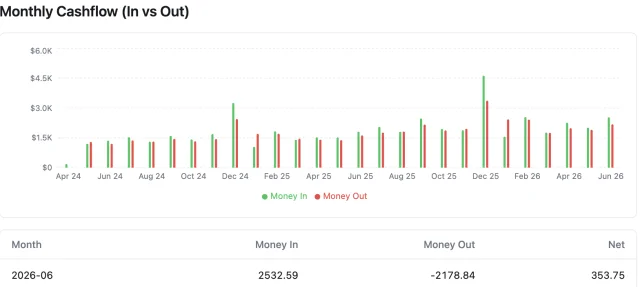
- Readymade reports for the questions every business actually has. Monthly cashflow, top customers, fee totals, refund rate — the report is already there, not something you rebuild from scratch every month. Example: open "Monthly Cashflow" and see money in vs. money out, already charted.
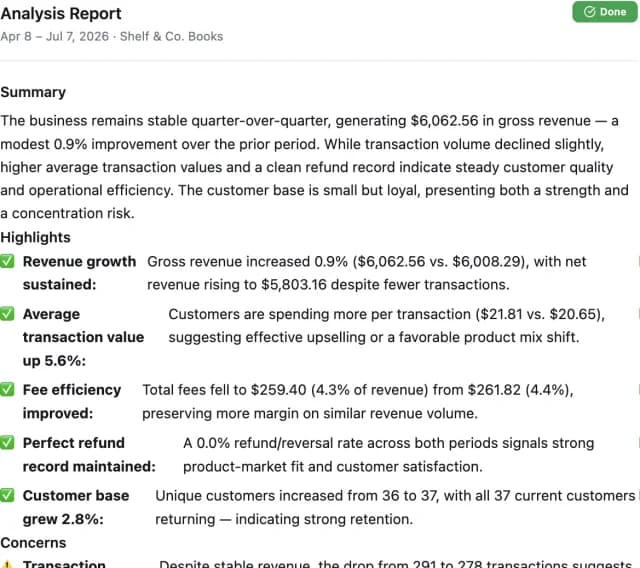
- AI Analysis catches what you'd miss by not looking. A scheduled, structured business-health report that flags problems and surfaces opportunities in your own numbers — the "revenue is flat but fees crept up" that's easy to miss when nobody's actively checking. Example: "Revenue is flat, but fees rose 12% this month — worth a look."
The Product, Feature by Feature
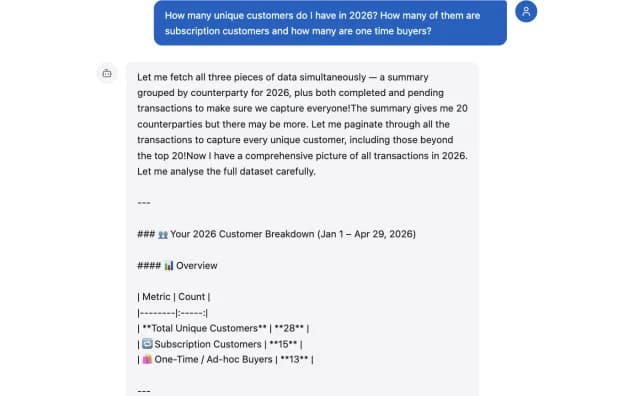
Chat. Ask questions about your transactions in plain English — "how much did I make in March," "who are my biggest customers this quarter," "show me refunds over $50" — and get answers backed by real tool calls against your actual data, not a canned summary. Built on Claude's tool-use loop.
Prebuilt Reports. 27 one-click reports across six categories — Cash Flow, Customers, Transactions, Fees, Time Patterns, and Transaction Types. Each one renders a chart plus a table, and has its own "ask about this report" chat widget so you can follow up on what you're looking at without leaving the page.
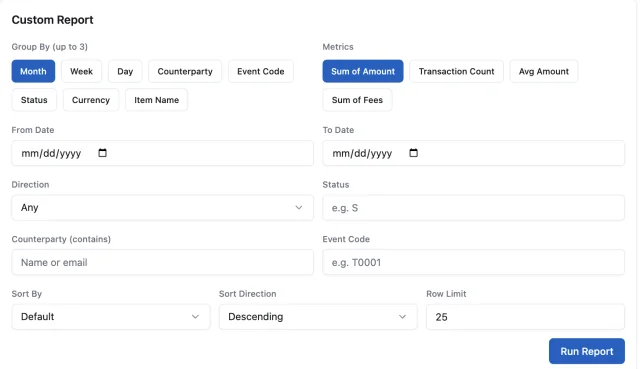
Custom Report Builder. When the 27 presets don't cover it: pick your own group-by dimensions (month, week, day, counterparty, status, currency, item), metrics (count, sum, average, fees), filters, and sort order, and get a report on demand — same chart-plus-table output as the prebuilt ones.
AI Analysis. A periodic, structured business-health report — revenue trends, concerns, highlights — computed first from real numbers and then handed to Claude to turn into a written narrative. This runs on a schedule (and on demand), so insight shows up whether or not you remembered to go looking for it.
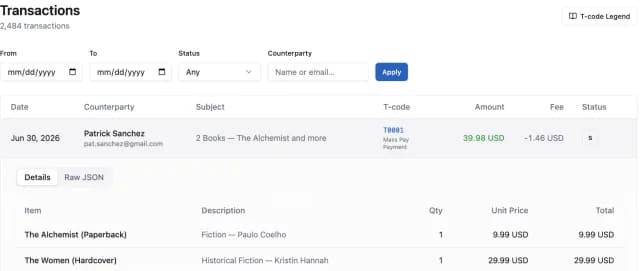
Transaction Browser. The ground truth underneath every report: a full, paginated, filterable list of every transaction, with parent/child rows handled correctly (PayPal records internal accounting entries alongside real payments — this app knows the difference), expandable line-item detail, raw JSON for the truly curious, and a built-in T-code legend for PayPal's cryptic event codes.
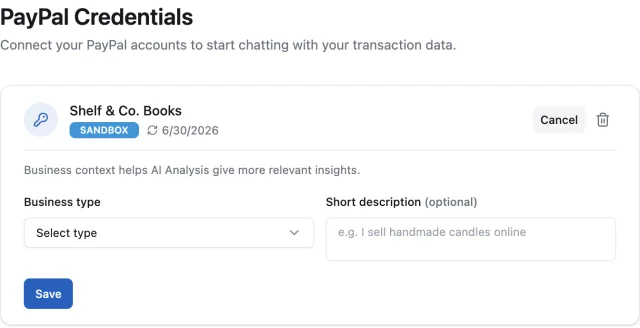
Multi-Account Credentials. Connect more than one PayPal API credential — sandbox and production side by side, each fully scoped so reports, chat, and analysis for one account never leak into another. Each credential can also carry a short business-context note ("I sell handmade candles online"), which AI Analysis uses to make its narrative more relevant instead of generic.
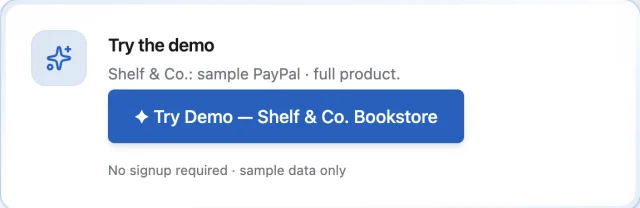
Demo Mode. Try the whole product instantly against a sample bookstore account — no signup, no PayPal credentials to enter, just click and go.
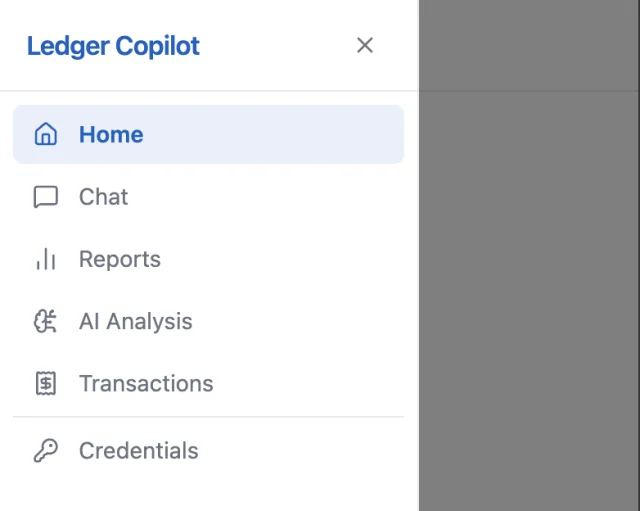
Built for mobile, properly. The app started as a desktop-first layout with nested sidebars (main nav, plus a per-page list like conversations or the report menu) — fine on a laptop, cramped on a phone. I recently reworked the whole shell so both sidebars collapse into off-canvas drawers on small screens, with the inner one opening automatically to whatever list you need until you pick something.
Try It
The live demo is up at TransactionsChatAI — click Try Demo on the landing page to drop straight into a sample bookstore account, no signup required.
Full source in a private repo for now. If you want the technical deep-dives on how specific pieces work — PayPal's Reporting API quirks, the Claude tool-use design, the streaming chat interface, the prebuilt-reports architecture, or the AI Analysis pipeline — those are their own posts.